Stay in control of your camera and microphone.

Our monitoring keeps your Camera Shield AI secure with instant alerts, live status tracking, and complete access transparency.

Real-Time Monitoring
Smart Access Alerts
Detailed Access Logs
Live Device Status
App Permission Control
Automatic Threat Detection

By clicking the button above, I agree to install this product and accept the Terms of Service and Privacy Policy .

Click "Download Now" to access Camera Shield AI

1
Click the "Download Now" button
2
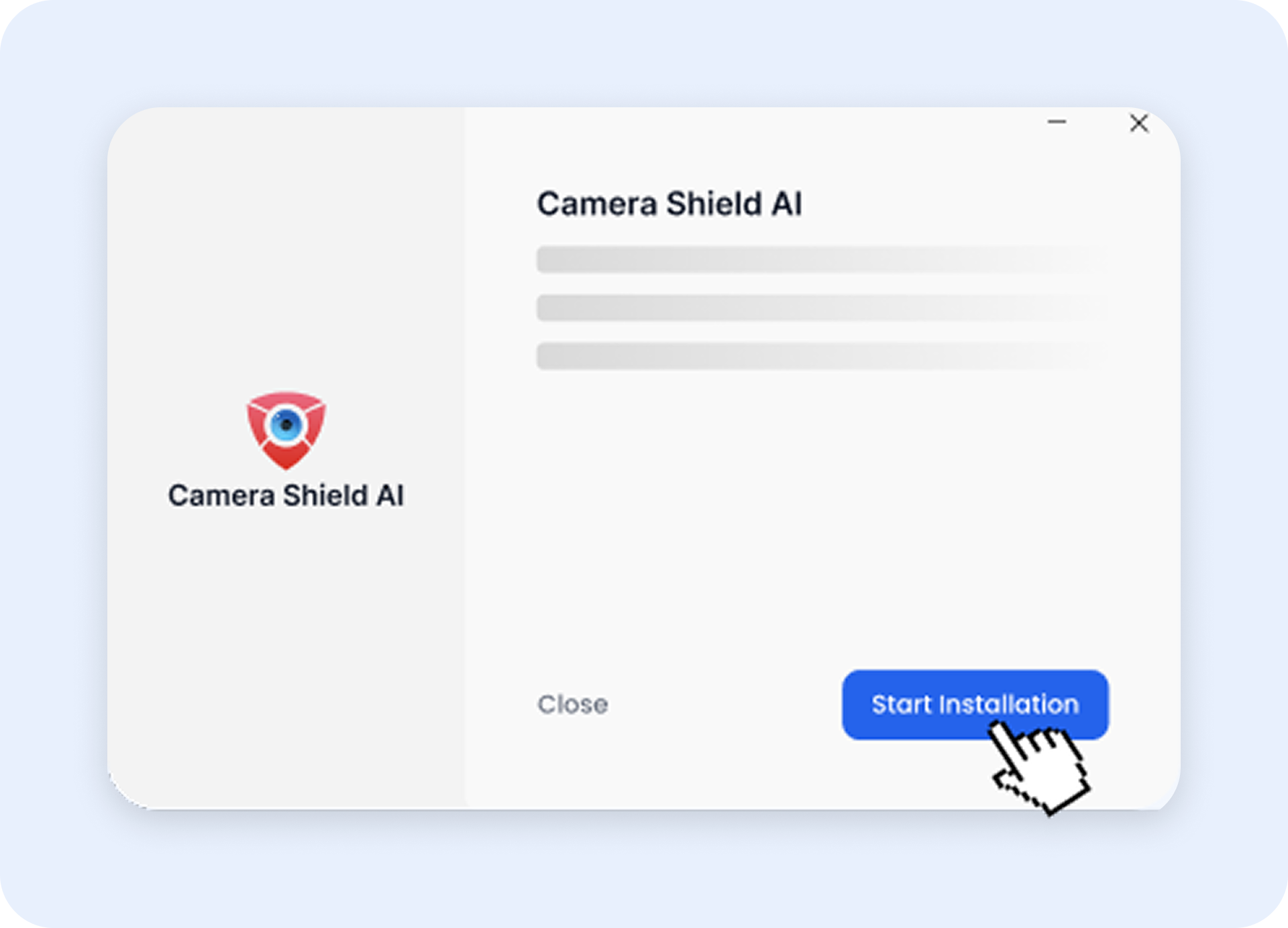
Start Installation
3
Follow the setup instructions

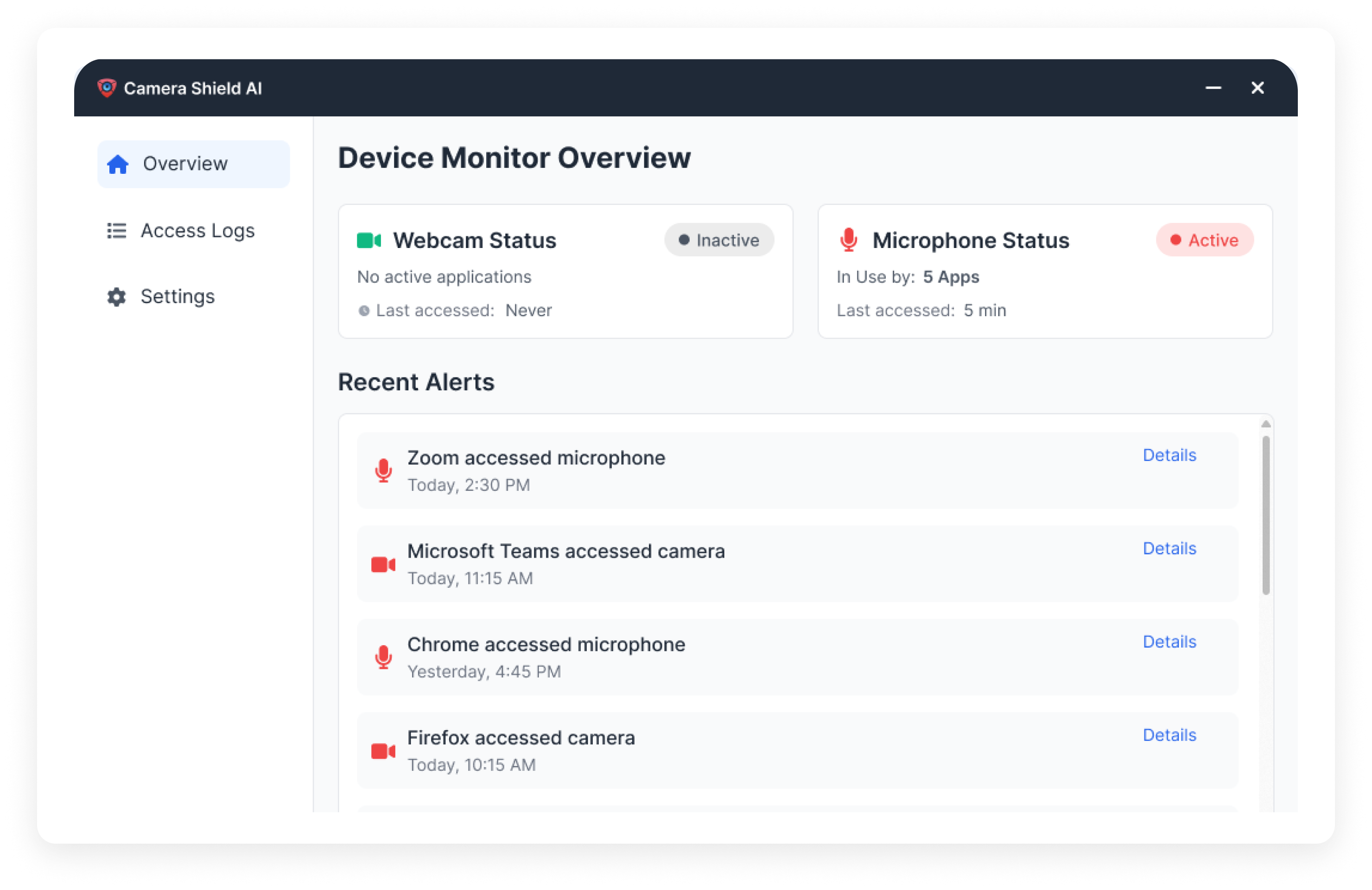
A clean, intuitive interface built for clarity and confidence

Camera Shield AI

Your Complete Privacy Solution

Everything you need to protect your camera & microphone

Effortless Device Protection icon

Effortless Device Protection

Always-on monitoring with zero configuration needed.

Full Transparency icon

Full Transparency

Track every access event with crystal-clear logs.

Privacy-First Design icon

Privacy-First Design

Your data stays on your device — nothing is uploaded or stored.
Reliable & Lightweight icon

Reliable & Lightweight

Minimal CPU impact with maximum security performance.

Smart Security Insights icon

Smart Security Insights

Get alerts for unusual patterns or high-risk applications.

Centralized Device Tracking icon

Centralized Device Tracking

Monitor both camera and microphone in one unified dashboard.
Live Device Overview icon
Live Device Overview
View active camera/mic usage, recent alerts, and security status in real time.
Access History Details icon
Access History Details
See exactly what happened, when, for how long, and by which application.
Custom Settings & Controls icon
Custom Settings & Controls
Set alert preferences, auto-updates, startup behavior, and trusted app rules.

By clicking the button above, I agree to install this product and accept the Terms of Service and Privacy Policy .


Your Download is Ready!

Install Camera Shield AI in 3 easy steps

Step 1
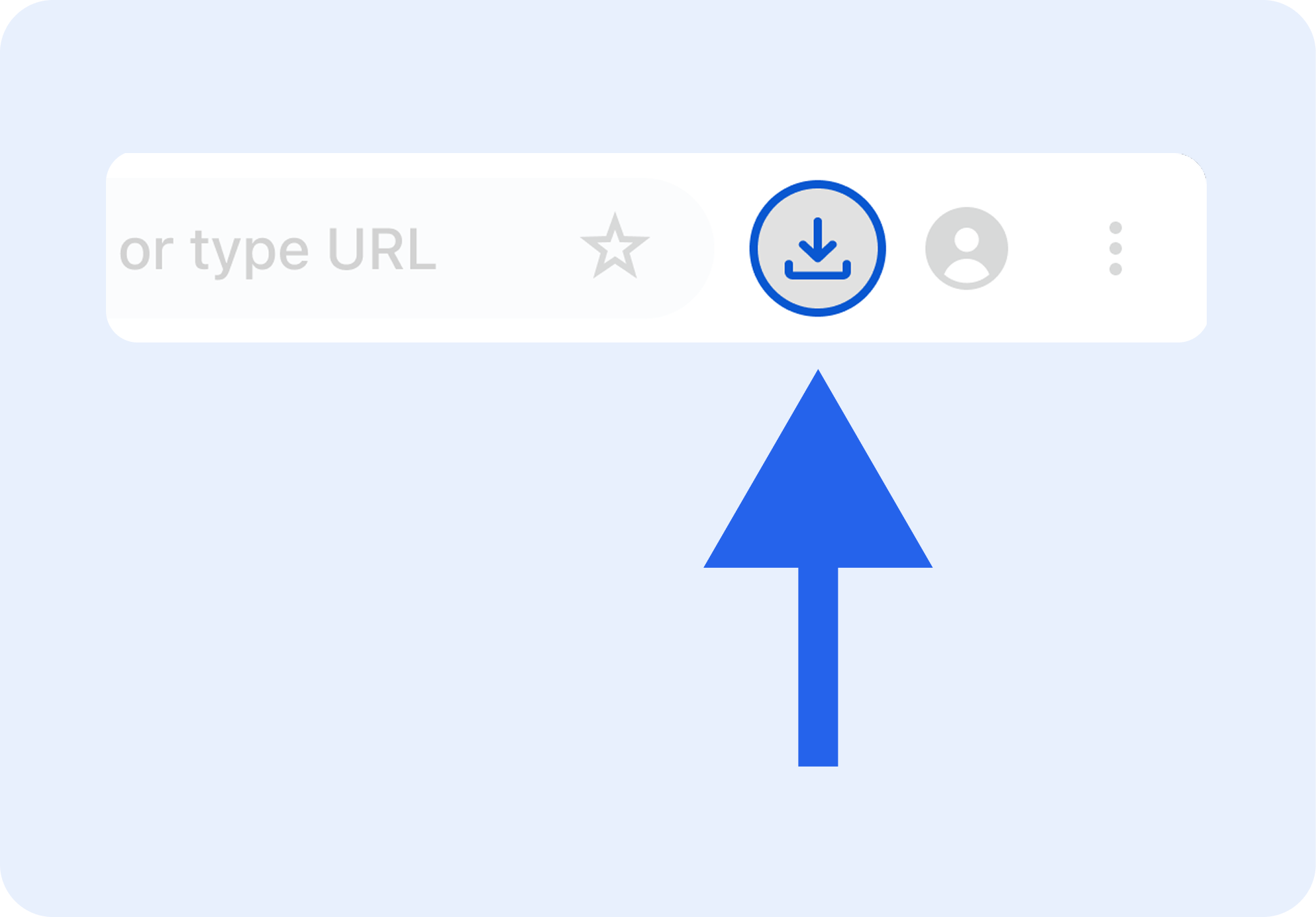
Tap the download icon

Tap

Tap the icon on top right corner of your screen.

Step 2
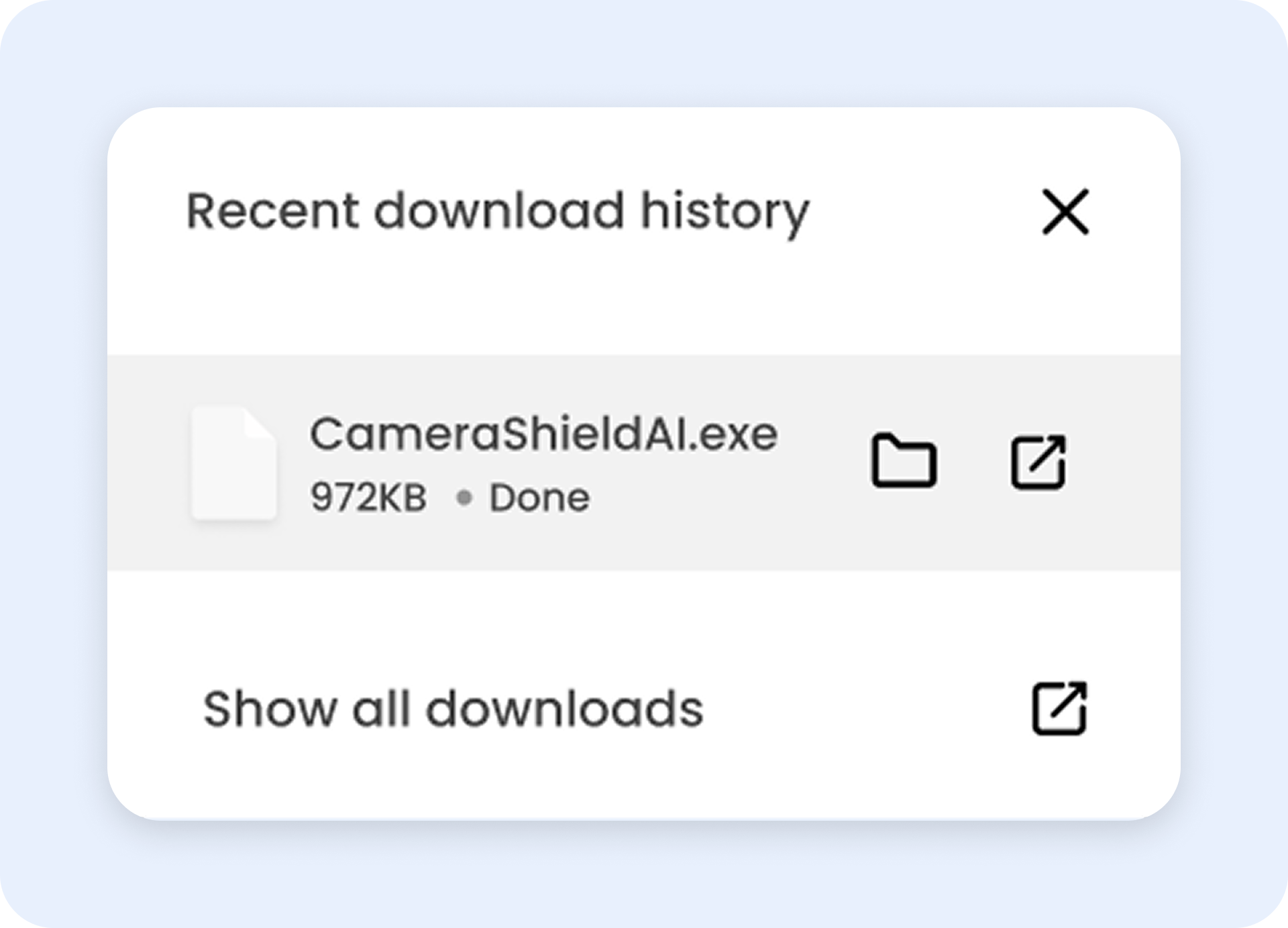
Open the Camera Shield AI setup file

Click

Click on the CameraShieldSetup.exe file.

Step 3
Finish the installation

Install

Press Start Installation to begin the process.